A calm register for everyday retail.
Puntovivo brings sales, inventory and purchasing into a single desktop console. Fast scanning, blind close, inter-site transfers and split payment — all under one design language. Open source, in active development, with a demo available.
Every module speaks the same design language.
Every surface shares the same grid, the same editorial serif and the same calm blue. The register feels like a digital notebook, not a control panel.
Friction-free checkout
Scan, search by SKU or barcode and adjust quantities without opening modals. Checkout splits cash, card, transfer, credit and other methods on a single screen.
Register with blind close
Open with a count by denomination, log cash-in and cash-out movements during the shift, and close blind — the expected balance stays hidden until you submit the final count.
Inventory per site
Per-site balances are the source of truth, and services sell without touching inventory. Real units (kg, litre, dozen) with GS1 scale labels: the weighed price enters the cart as printed.
Inter-site transfers
Send now and receive later with an in-transit state. Receiving discrepancies are logged with a note, and a cancellation reverses balances instantly.
Purchasing, orders & quotes
Receive partially or fully against an order, return stock to the supplier, and issue quotes from the same catalog. Every movement updates the product's cost history.
Business isolation & audit
Each business keeps its data isolated, with per-site sequentials and a per-shift audit trail. Changes to a user's role or business access refresh the session without interrupting a sale in progress.
Taxes the way your business charges them
VAT and consumption tax (INC) per product, frozen on every sale line. Prices with tax included or added on top, per business, with the same rounding engine at the register and on the fiscal document.
Customer price levels
Three catalog prices per product and a level per customer: wholesale buyers pay their price without every line looking like a manual override. Changing a customer level is audited.
Six screens, no renders.
Real captures of the console running against a Colombian demo catalogue. The prices, sequentials and balances you see came out of the same code you can run today.
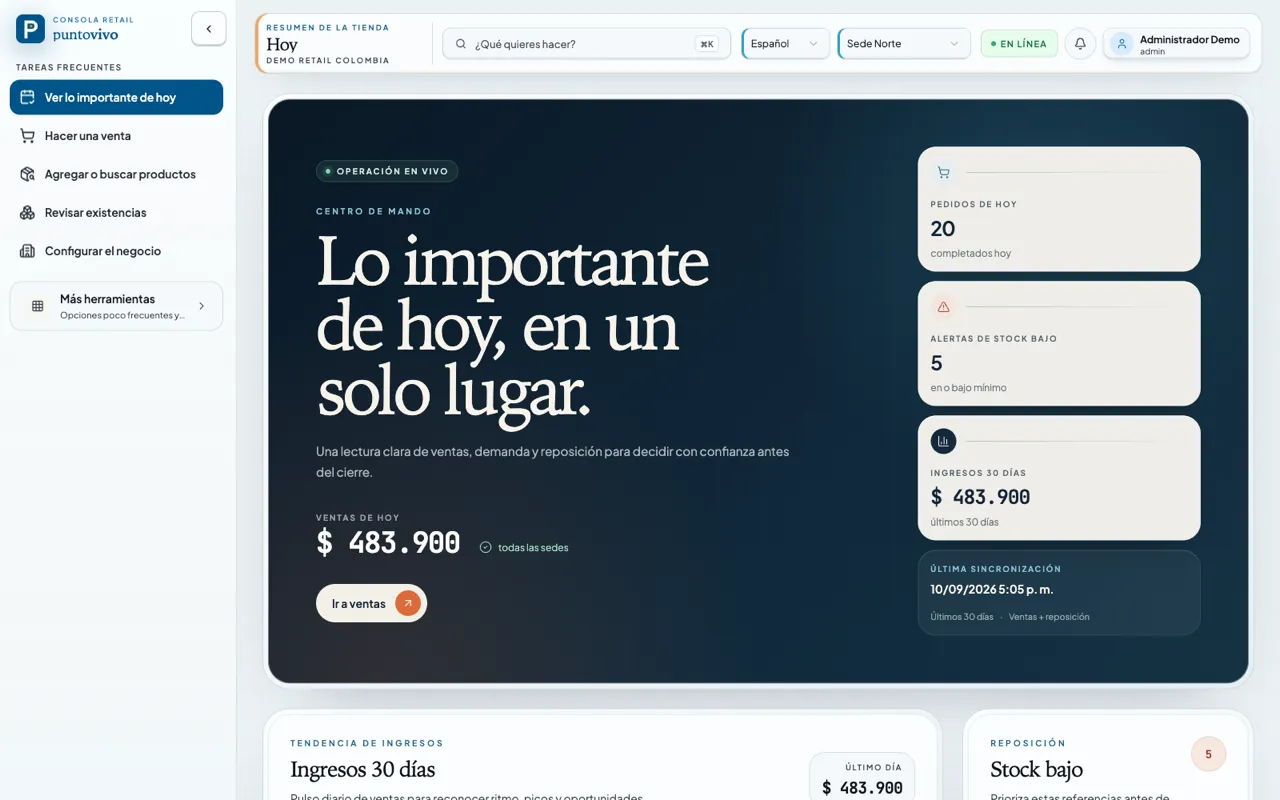
Command centre
Today's sales, low-stock alerts and replenishment in one read, before the shift starts moving.
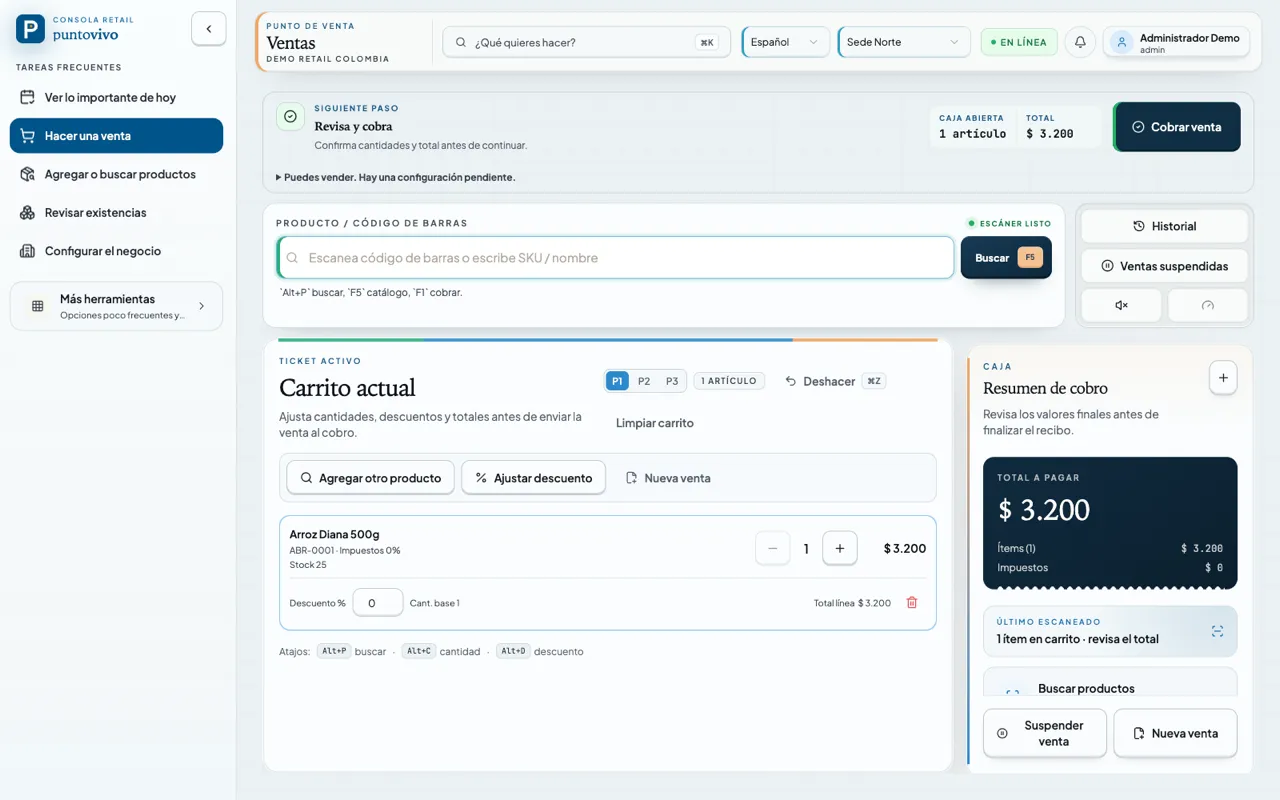
Checkout
Scanner ready, per-line tax and keyboard shortcuts. The register opens on a denomination count and charging never needs the mouse.
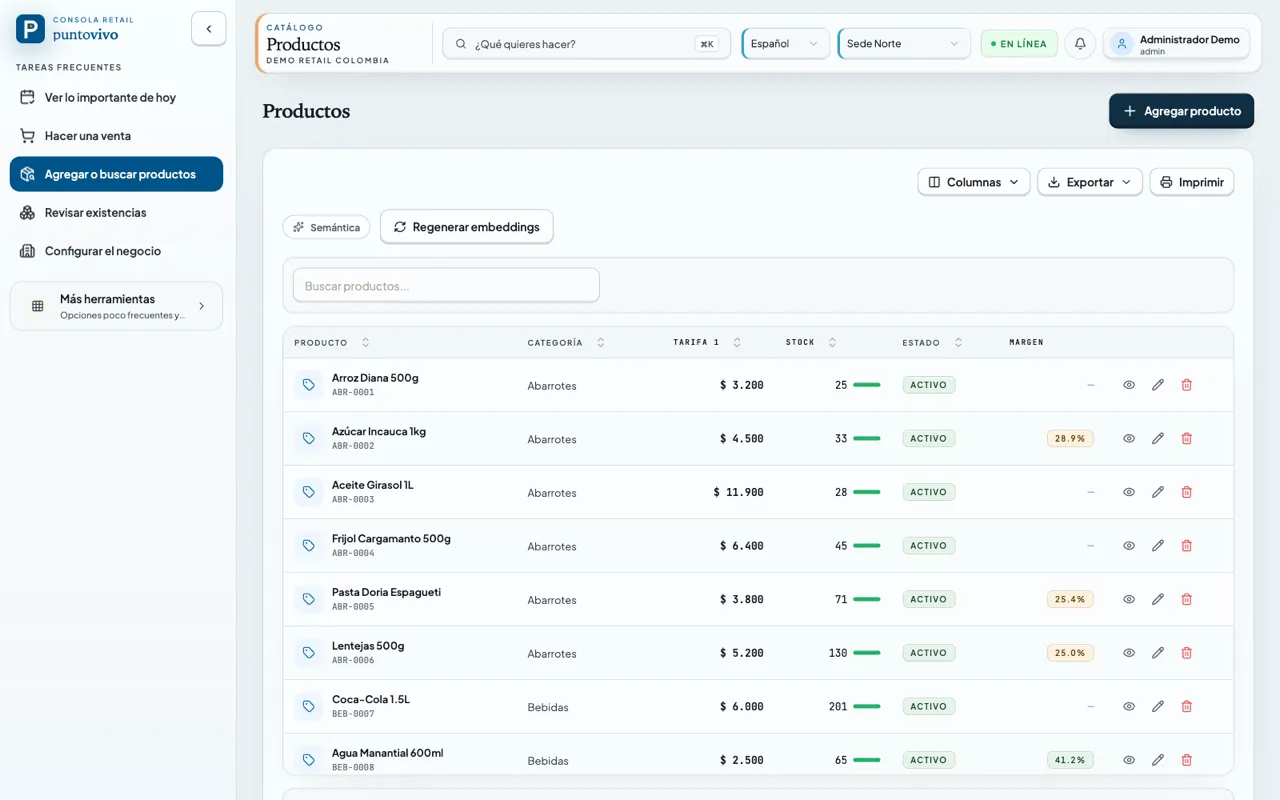
Catalogue
Price, stock and margin per product. Text search and optional semantic search with a configured embedding provider.
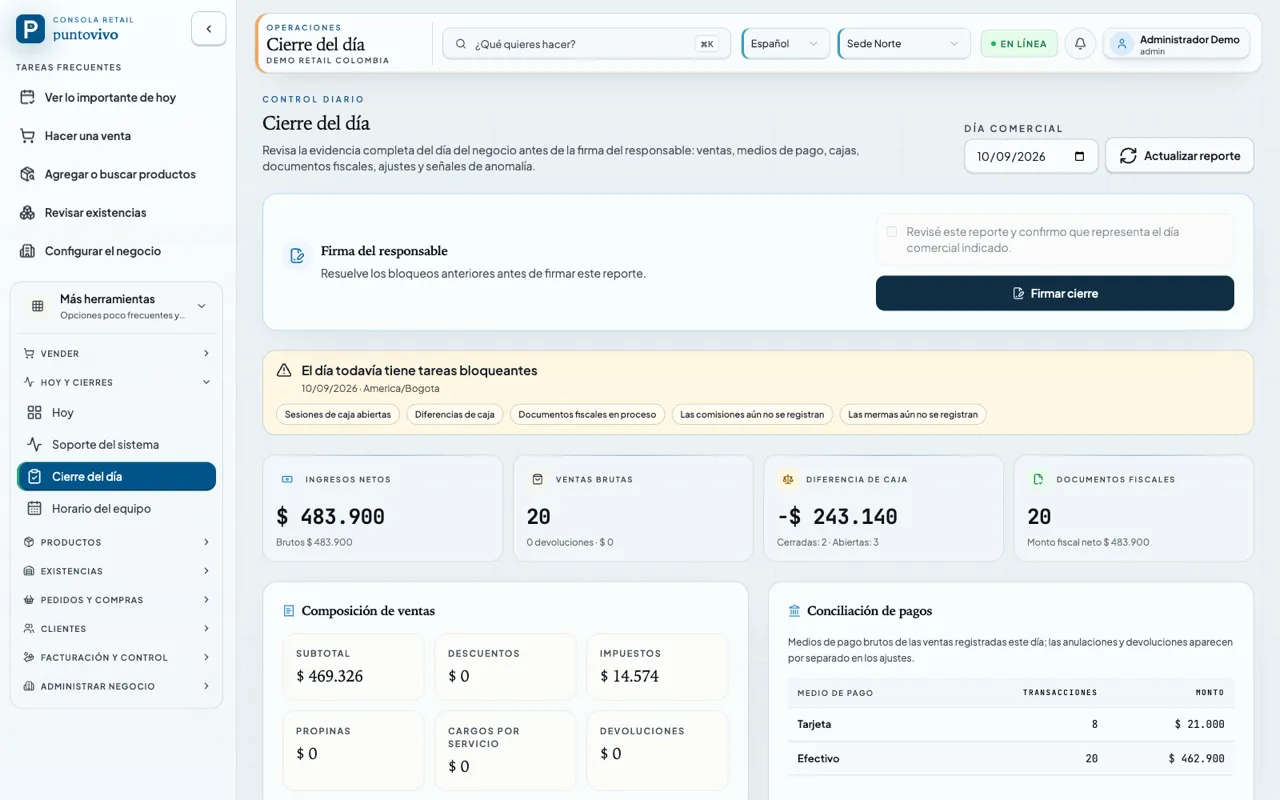
Day close
The full evidence before signing: revenue, drawer variance, fiscal documents and the tasks still blocking the close.
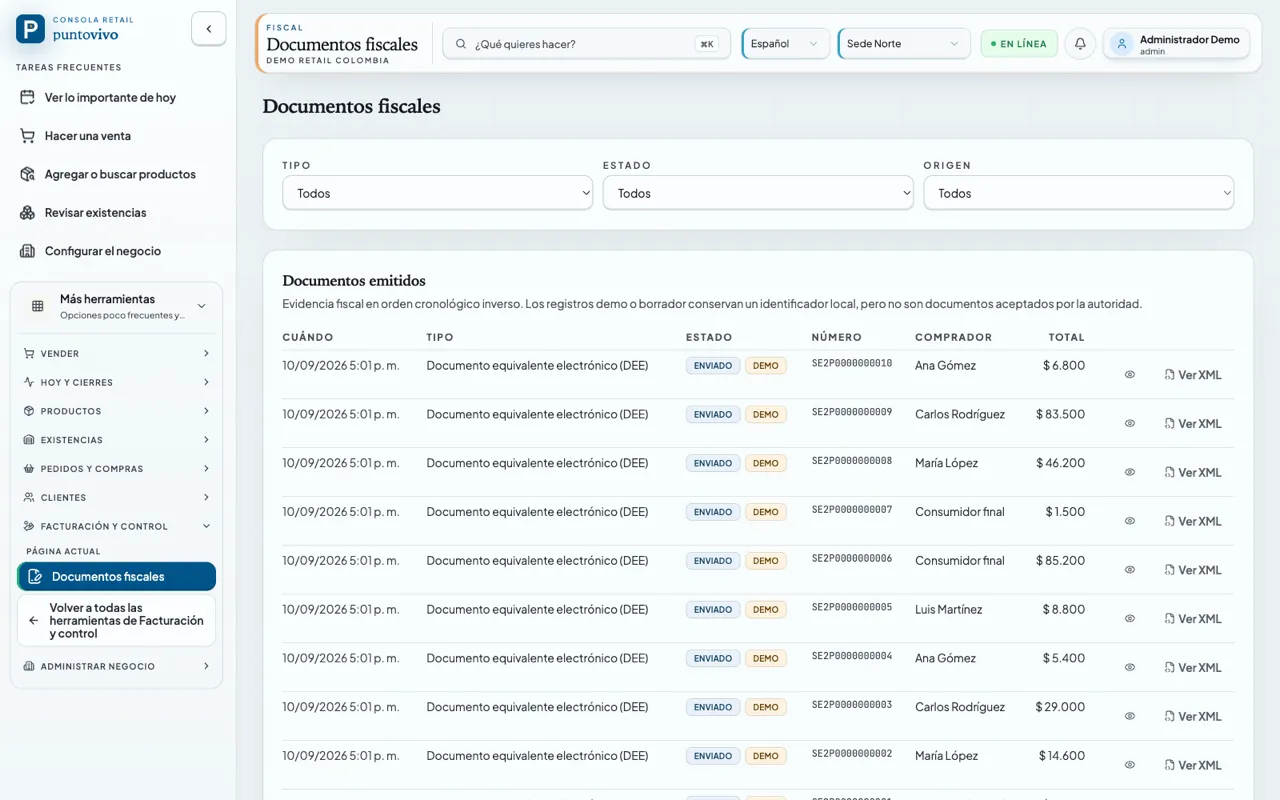
Fiscal documents
Every equivalent document with its sequential, its buyer and its XML. Demo records are labelled as such and never pass as evidence accepted by the authority.
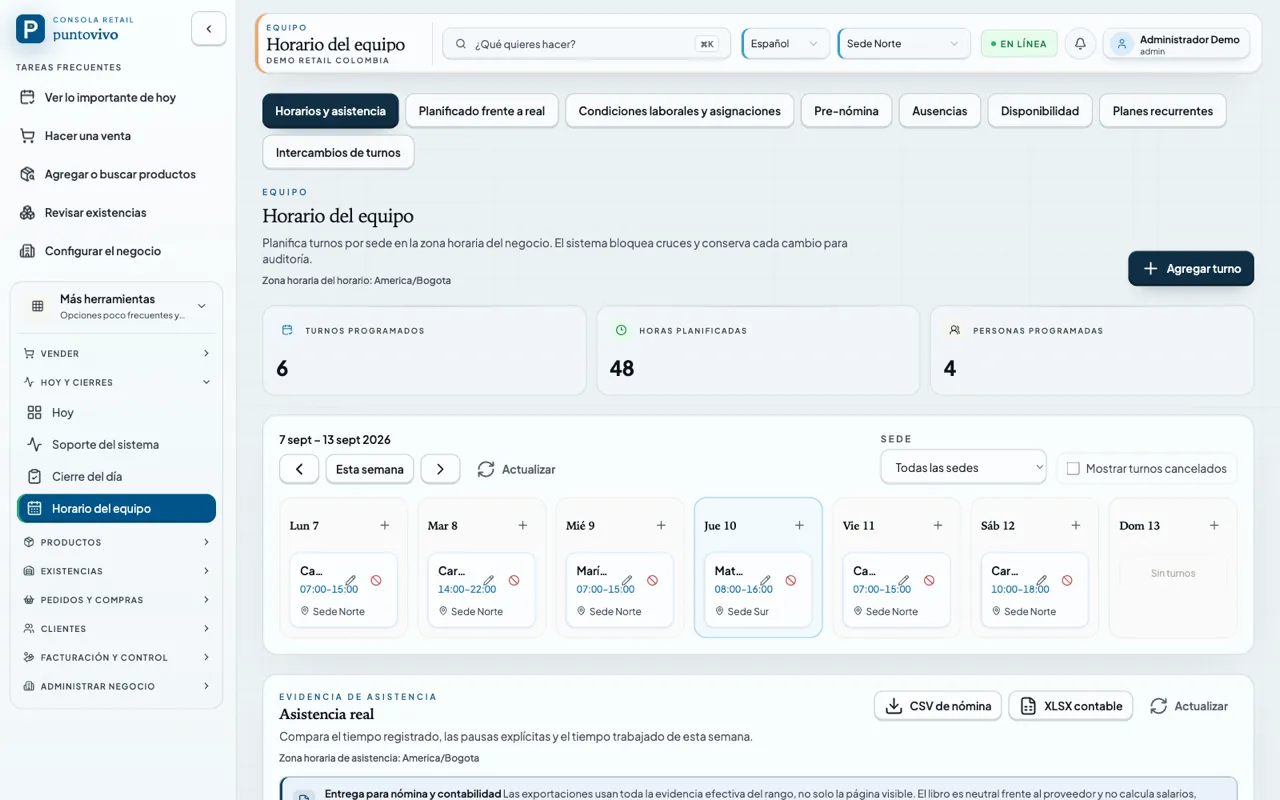
Team schedule
Shifts per site in the business time zone, with overlaps blocked and every change kept for audit. Real attendance exports to payroll and accounting.
The screenshots show the Spanish interface with data from a demo business seeded by the development command, not a real customer. The app is also available in English. The interface, the maths and the states are the ones the code ships.
The register reconciles itself — no guessing for the cashier.
Open the shift counting bill by bill, log every drawer cash-in or cash-out through the day, and close blind: the expected balance stays hidden until you submit the final count. Any difference lands in the recent-closes report — not a separate notebook.
An AI that knows your counter — not a chatbot bolted on the side.
Ask in plain language, review unusual cashier patterns, search products by meaning, or extract a supplier invoice from an image. Co-pilot, OCR, voice and semantic embeddings now share tenant-scoped usage accounting. Amounts remain provider-priced estimates, and calls without usable pricing stay visibly unknown. All four capabilities ship turned off: enable them from Settings › AI when you choose.
Talk to your business. It answers with visible evidence.
Type what you want to know in plain language — "best-selling products", "top cashier", "sites with low margin". Puntovivo builds the SQL and runs it against your business data. An administrator can keep the generated explanation or choose results only; the SQL, row count, table and available chart stay visible in both modes.
-- generado por Co-pilot · auditable
WITH last_month_sales AS (
  SELECT *
  FROM sale_line_items
  WHERE sale_date ≥ date('now', '-1 month')
    AND site_id = '…Norte'
)
SELECT product_id, product_name,
       SUM(quantity) AS total_quantity
FROM last_month_sales
GROUP BY product_id, product_name
ORDER BY total_quantity DESC
LIMIT 10
-- generado por Co-pilot · auditable
SELECT cashier_name, site_name,
       AVG(total_amount) AS avg_ticket,
       COUNT(*) AS tickets
FROM sales
WHERE sale_date ≥ date('now', '-7 days')
  AND status = 'completed'
GROUP BY cashier_id, site_id
ORDER BY avg_ticket DESC
LIMIT 5
-- generado por Co-pilot · auditable
SELECT s.name AS site,
       SUM(sl.price_sold - p.cost)
       / NULLIF(SUM(sl.price_sold), 0) * 100 AS margin_pct
FROM sale_line_items sl
JOIN products p ON p.id = sl.product_id
JOIN sites s ON s.id = sl.site_id
WHERE sl.sale_date ≥ date('now', '-7 days')
  AND p.category = 'lacteos'
GROUP BY s.id
ORDER BY margin_pct ASC
Detected anomalies
Statistical outliers per cashierWe cross each cashier against their own 30-day average and against the rest of the team. When something breaks the pattern — a ticket spike, an unusual return, suspicious discounts — it reaches your inbox with a severity and the raw context.
Semantic search
Products by meaningAn administrator builds the catalog's local vector index with the configured embedding provider and rebuilds it when the model or product text becomes stale. Search "low-fat dairy" and Yogurt Alpina light can appear even without an exact name match; if embeddings are unavailable, the catalog returns to ordinary text search.
Invoice OCR
Photo → logged purchaseUpload an image of a supplier invoice. A compatible configured AI provider attempts to extract supplier, lines, quantities, VAT and total and pre-fills purchasing for you to review before confirming.
These are candidate directions, not committed dates. They move into delivery only after the underlying retail problem and operating boundary are validated.
What owners and managers ask before turning the AI on.
Privacy, cost, what happens offline and how to turn it off. If these six answers don't convince you, leave it off — the register works just the same without it.
Can the AI see my customers' sensitive data?+
Where does the model run? Does my data leave the country?+
What happens if the site loses internet?+
How much does the AI cost?+
Can I trust the answers? What if it makes up numbers?+
How do I turn the AI on or off?+
What's happening across all your sites, in one view.
Low stock, closes with a difference, transfers in transit, refunds. Puntovivo cross-references data per site and only interrupts you when it's worth it.
Don't check three consoles. Check one.
The dashboard gathers sales, inventory, shifts and syncs into one feed. Every alert takes you to the exact spot in the console — one click, not three tabs.
The cashier's loop, in four steps.
Each task keeps one clear primary action visible and moves advanced tools out of the way until they are needed.
Count the opening base by denomination. The register is ready to charge right away.
SKU, barcode, quantities and discounts without opening unnecessary modals.
Cash, card, transfer, credit — or a split payment that adds up to the total. The receipt prints at 58 or 80 mm.
Count the drawer by denomination. The system hides the expected balance until you submit the final count.
What's already built into the console.
The POS, cash, inventory, purchasing, receipt, and provider-neutral fiscal foundations are real code you can run today. DIAN certification and representative physical-device qualification remain external gates.
AI core (optional)
- Co-pilot: plain-language questions about your data · auditable SQL · chart + table.
- Anomalies detected per cashier against their own 30-day average.
- Semantic catalog search with locally stored vectors — OpenAI or Ollama generates the embeddings.
- Invoice OCR: photo → supplier, lines, VAT and total pre-filled into purchasing.
Register with blind close
- Opening with a count by denomination against the register template.
- Shift movements: cash-in, cash-out, drop to safe, change replenishment.
- Blind close — expected balance hidden until you submit the final count.
- Cash-control report with active sessions and differences to review.
- Completed-sale receipt handoff: local PNG plus WhatsApp text for the operator to review and send manually.
Inter-site transfers
- In-transit mode: the origin site is debited now, the destination on receipt.
- Partial receipt with discrepancy notes and a history badge.
- Cancellation with immediate reversal of both balances.
Split payments
- Combine cash, card, transfer, credit and other methods.
- Optional reference per payment for reconciliation.
- Exact-sum validation before confirming the charge.
Purchasing + returns
- Staged receipt with per-line progress against the order.
- Purchase returns with restock and an auditable reason.
- Quotes from the same catalog and selling unit.
Flexible tax model
- VAT and consumption tax (INC) per product; the kind rides with the rate and freezes on every sold line.
- Tax-inclusive prices or base price + tax, configurable per business and audited.
- Per-line fiscal classification (DIAN category) and per-kind breakdown on the document.
- Uniform two-decimal rounding shared between the cart preview and the actual charge.
Price levels and wholesale
- Three catalog prices per product; every customer carries a level (retail, price 2, price 3).
- P1/P2/P3 chips on the ticket reprice eligible lines without clobbering scale labels or manual edits.
- The price-override detector knows the level: selling wholesale at their price raises no false alerts.
- Changing a customer level leaves an audit trail with before and after.
Verticals, services and scales
- Onboarding asks what you sell and enables only your vertical; the restaurant surface lives behind its module.
- Service items sell without stock and never touch inventory, mixed with physical products on the same ticket.
- Units carry a dimension and UN/ECE code (kg, gram, litre, dozen) that flows into the fiscal document.
- GS1 weight or price-embedded labels resolve at the classic register and the touch screen alike.
Restaurant and kitchen
- Tables, open checks and moving a check between tables, all inside one transaction.
- Durable kitchen display: every line survives a restart and keeps its preparation order.
- Split a check by items into a new ticket, with a trace of who split it.
Pharmacy and lot traceability
- Lot custody with expiry, quarantine and market recalls.
- Authorisations and evidence for prescription products in Colombia, with audited approval and revocation. Controlled medicines remain blocked; these controls are not regulatory certification.
- Receiving demands concrete lot identity on the lines that track it.
Team, shifts and pre-payroll
- Schedule per site in the business time zone; the system blocks overlaps.
- Real attendance against plan, with explicit breaks and corrections that never rewrite the evidence.
- Payroll CSV and accounting XLSX exports; the ledger is provider-neutral and computes no salaries.
Delivery and external orders
- Reservations and delivery orders with their own states and audited transitions.
- Signed external order intake, with a nonce against replays.
- Cancellations resolved by the operator, never by timestamp.
Open source. Run it on your own computer, for free.
Puntovivo is MIT-licensed open-source software. The local version is free forever: download the desktop app or build it from source. A managed cloud is on the way, with no pricing yet.
Run Puntovivo on your own computer or server. POS, inventory, purchasing, multiple sites, and isolated business data are all included, with no license to pay.
- Registers and users with no license cap
- POS, inventory, purchasing and transfers
- Blind close + cash control
- Business data isolated by design
- Optional AI with your own provider
A hosted version for anyone who doesn't want to run their own server: managed backups, updates and syncing. It isn't ready yet and has no defined price.
- Managed hosting and backups
- Automatic updates
- Inter-site syncing
- No server of your own to run
What owners and cashiers ask before switching systems.
Does it issue DIAN electronic invoices?+
What does a site need to get started?+
Does it work without internet?+
How do I handle several sites or registers?+
What roles does the system have?+
How does the blind close work?+
Can I migrate my catalog?+
Can I send a receipt through WhatsApp?+
A register that respects your store's rhythm.
Try it today: download the desktop app or build it from source. It's open source, in active development, and there's a demo ready for you to see it running.